The world has shifted, and so has our understanding of how adults actually get stuff done. Those cutesy star charts from elementary school? They're not cutting it for the millions of adults navigating ADHD, autism, depression, or simply the overwhelming complexity of modern life. If you've ever stared at a traditional chore chart feeling like it was designed by someone who's never experienced executive dysfunction, you're not alone.
Here's the reality: executive function-friendly visual chore charts aren't just nice-to-haves: they're accessibility tools that can be the difference between a functional household and complete chaos. The question isn't whether adults need visual systems for accountability. The question is: how do we create ones that actually work?
Why Most Adult Chore Charts Are Hot Garbage
Traditional chore systems fail adults with executive function challenges for three critical reasons. First, they're designed for neurotypical brains that can easily shift between tasks, remember multi-step processes, and maintain motivation without external scaffolding. Second, they often lack the visual clarity needed when working memory is compromised. Third, they assume a level of intrinsic motivation that simply doesn't exist when dopamine is in short supply.
Consider Sarah, a marketing professional with ADHD who can manage million-dollar campaigns but can't remember to take out the trash. A basic checklist tells her "clean kitchen," but her brain immediately short-circuits. What does "clean" mean? Where does she start? How long should it take? Without executive function-friendly design, even simple tasks become overwhelming cognitive puzzles.

The most effective visual chore charts for adults acknowledge these realities. They break down tasks into manageable chunks, provide clear visual cues, and offer immediate feedback loops that support motivation and task completion.
The Science Behind Executive Function-Friendly Design
Executive functioning encompasses the cognitive processes that help with planning, task initiation, organizing, time management, and self-regulation. When these systems are compromised: whether due to neurodivergence, mental health conditions, or simple human overwhelm: visual supports become essential lifelines.
Research consistently shows that visual task management systems reduce cognitive load by:
• Externalizing memory demands – Instead of holding multiple steps in working memory, the chart becomes the memory bank
• Providing clear starting points – Task initiation becomes easier when the first step is visually obvious
• Creating momentum through progress tracking – Visual progress markers trigger dopamine release and maintain motivation
• Reducing decision fatigue – Clear visual hierarchies eliminate the need to constantly prioritize and re-prioritize
The key is creating systems that don't just list tasks, but actively support the cognitive processes needed to complete them.
15 Executive Function-Friendly Icons and Templates That Actually Work
Daily Essentials Icons
1. The "Morning Launch Sequence" Template
A vertical flowchart with rocket ship icons moving upward. Each level represents a morning task: shower (water droplet), breakfast (fork/knife), medication (pill icon), teeth (toothbrush), dressed (shirt icon). The visual metaphor of "launching" your day creates momentum.
2. The "Kitchen Reset" Wheel
A circular chart divided into segments: load dishwasher (plates stacking), wipe counters (cleaning spray), sweep floor (broom), take out trash (garbage bin), put items away (arrow pointing to cabinet). Users move a magnetic marker around the wheel.
3. The "Laundry Pipeline" Flow
Linear icons showing clothes moving through the process: dirty clothes basket → washing machine → dryer → folding table → closet/dresser. Each stage has a timer icon to indicate typical duration.
Weekly Maintenance Templates
4. The "Sunday Reset" Checklist
A tablet-style layout with large, clear icons: grocery list (shopping cart), meal prep containers (stacked tupperware), calendar review (calendar grid), weekly planning (notebook), space organization (organized drawer). Each item has a large checkbox for satisfying completion.
5. The "Bathroom Blitz" Quick-Hit Chart
Designed for executive function-friendly rapid task switching. Icons include: toilet brush, mirror wipe (cloth), sink scrub (bubbles), floor sweep (broom), towel organization (folded towels). Estimated time: 15 minutes total.

Monthly Deep-Dive Systems
6. The "Seasonal Swap" Template
Quarterly clothing rotation with clear visual categories: winter clothes (snowflake), spring clothes (flower), summer clothes (sun), fall clothes (leaf). Includes storage location icons and donation bag reminders.
7. The "Paper Monster Tamer" Document System
Visual filing system with color-coded folders: red (urgent/bills), yellow (pending/review), green (filed/done), blue (reference/keep). Includes shredder icon for items to destroy.
Social and Communication Charts
8. The "Relationship Maintenance" Dashboard
Icons for staying connected: phone call (telephone), text message (speech bubble), email (envelope), in-person visit (house), social media interaction (thumbs up). Includes frequency indicators and last-contact tracking.
9. The "Holiday Prep" Countdown
Timeline template with gift box, calendar, shopping list, wrapping paper, and event planning icons. Includes stress-reduction reminders and deadline tracking.
Health and Self-Care Templates
10. The "Medical Management" Hub
Comprehensive health tracking with appointment calendar (calendar + stethoscope), prescription management (pill bottle), insurance paperwork (folder + plus sign), symptom tracking (thermometer), and provider contact list (phone book).
11. The "Energy Bank" Visual
Battery-style chart showing daily energy allocation: work (briefcase), household tasks (house), social activities (people), self-care (heart), rest (bed). Helps with realistic daily planning.
Financial and Administrative Systems
12. The "Money Flow" Tracker
Water-like flow charts showing income streams (arrows coming in) and expense categories (arrows going out): housing (house), food (utensils), transportation (car), utilities (lightning bolt), savings (piggy bank).
13. The "Tax Season Survival Kit"
Document gathering system with folder icons, deadline calendars, and completion checklists. Includes emotional support reminders and professional contact information.
Seasonal and Special Occasion Templates
14. The "Moving Day Command Center"
Military-style mission chart with phases: planning (clipboard), packing (boxes), logistics (truck), setup (hammer), and celebration (party hat). Includes timeline and resource allocation.
15. The "Holiday Hosting" Battle Plan
Event planning template with guest list (people icons), menu planning (chef hat), shopping lists (cart), prep timeline (clock), and cleanup assignments (cleaning supplies).
Implementation Strategies That Stick
Creating executive function-friendly visual chore charts is only half the battle. Implementation requires understanding how executive dysfunction actually works in daily life. Start small: pick one area that's causing the most stress and create a single visual system for it.
Place charts at eye level in the spaces where tasks actually happen. A kitchen cleaning chart belongs in the kitchen, not buried in a household binder. Use materials that can withstand daily use: laminated sheets, dry-erase boards, or disability-friendly digital tools.
Most importantly, build in flexibility. Executive function challenges often come with unpredictable symptoms. Your visual chore chart should accommodate good days and bad days, not demand perfection.
The Dignity of Adult Accommodations
Here's what the productivity gurus won't tell you: needing visual supports as an adult doesn't make you childish or broken. It makes you human. Executive function exists on a spectrum, and most people could benefit from better visual organization systems: they just haven't admitted it yet.
The goal isn't to become someone who doesn't need these tools. The goal is to create systems that support your actual brain, not some idealized version of yourself. When we design for accessibility from the start, everyone benefits.
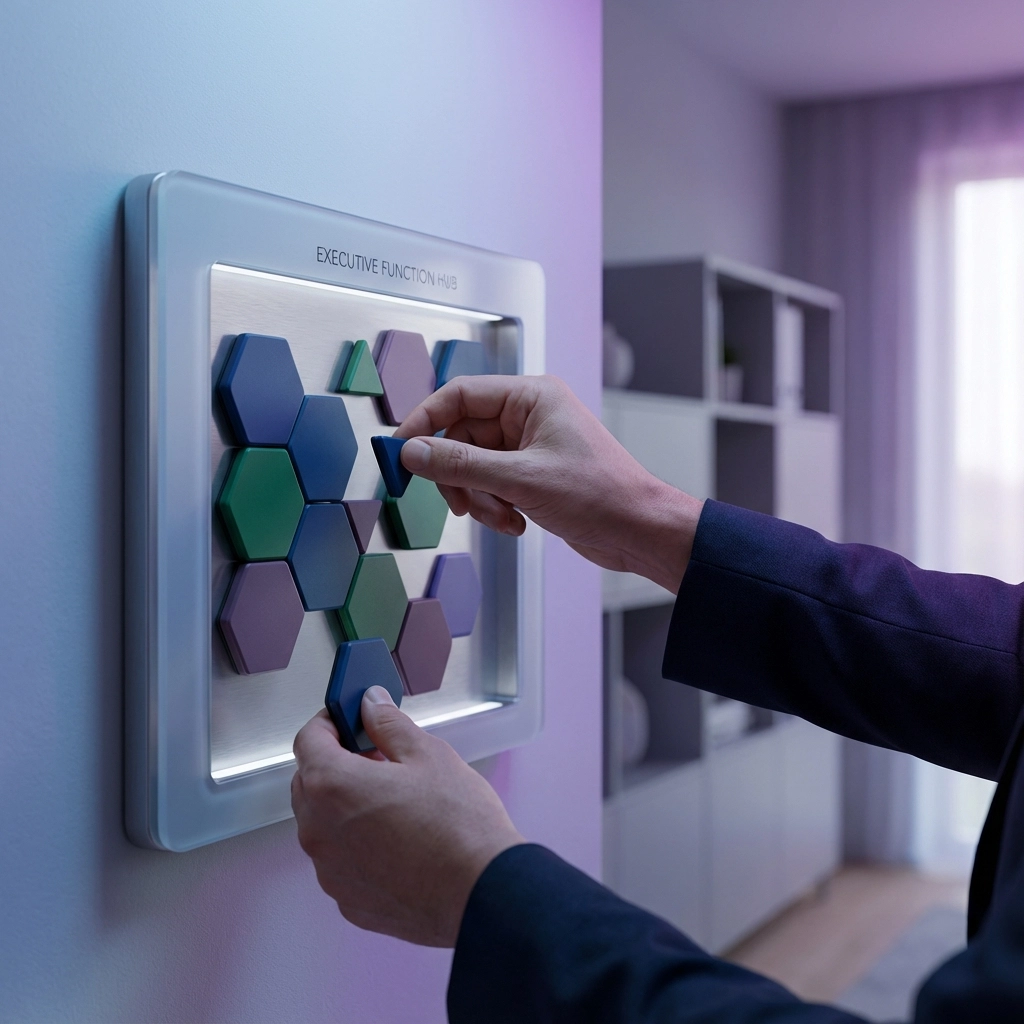
Your future self will thank you for building systems that work with your brain, not against it. Start with one template, adjust it as needed, and remember: the best visual chore chart is the one you'll actually use.