The world has shifted, but workplace accommodations for invisible disabilities remain frustratingly elusive. While companies pat themselves on the back for installing wheelchair ramps and accessible parking spaces, millions of employees with invisible disabilities continue fighting daily battles that most colleagues never see.
Here's the truth: workplace accommodations don't have to be expensive, complicated, or require months of bureaucratic approval. Sometimes the most powerful solutions are hiding in plain sight: like transforming your Google Calendar into a disability-friendly productivity powerhouse.
If you're tired of struggling to get the workplace accommodations you need, or if you're ready to take control of your professional environment, this comprehensive guide will show you how Google Calendar's accessibility features can become your secret weapon for success.
The Hidden Reality of Invisible Disabilities in Professional Settings
Invisible disabilities affect over 96% of people living with chronic illnesses, yet workplace support systems consistently fail to address their unique challenges. ADHD, chronic fatigue, anxiety disorders, autism spectrum conditions, chronic pain, and dozens of other conditions create daily obstacles that traditional office environments completely overlook.
Consider Sarah, a marketing professional with ADHD who consistently missed important deadlines: not because she lacked skills or motivation, but because her brain processes information differently. Traditional paper planners overwhelmed her, while standard digital calendars provided no visual cues for priority management or executive function support.
The question is: how can professionals with invisible disabilities create their own workplace accommodations when institutional support falls short?
Why Google Calendar Becomes a Lifeline for Invisible Disabilities

Google Calendar isn't just a scheduling tool: it's a comprehensive accommodation platform that can address multiple invisible disability challenges simultaneously. Unlike expensive assistive technology or complex workplace modification requests, Google Calendar solutions are free, immediately accessible, and completely customizable to individual needs.
The beauty lies in its versatility. Whether you're managing executive function challenges, sensory processing differences, chronic pain flare-ups, or mental health fluctuations, Google Calendar can be tailored to provide the specific support structures your brain and body require.
Dark Mode: More Than Just Aesthetic Appeal
Google Calendar's dark theme serves as a crucial workplace accommodation for numerous invisible disabilities. The benefits extend far beyond visual preference:
Reducing Eye Strain and Migraine Triggers
- Dark backgrounds significantly decrease blue light exposure
- Lower contrast reduces visual stress for individuals with photophobia
- Minimizes headache triggers for chronic migraine sufferers
- Provides relief for individuals with lupus, fibromyalgia, and other conditions causing light sensitivity
Supporting Sensory Processing Needs
- Creates calmer visual environments for autism spectrum individuals
- Reduces sensory overload during long work sessions
- Provides consistent, predictable visual experiences
- Minimizes environmental distractions that impact focus
Improving Battery Life for Medical Device Users
- Extends smartphone battery life for individuals using medical monitoring apps
- Reduces charging frequency for those with mobility limitations
- Supports longer work sessions without power access concerns
To activate dark mode, navigate to Settings → Appearance → Dark theme. Set it to "Device default" to automatically match your system preferences throughout the day.
Advanced Color Coding Strategies for Executive Function

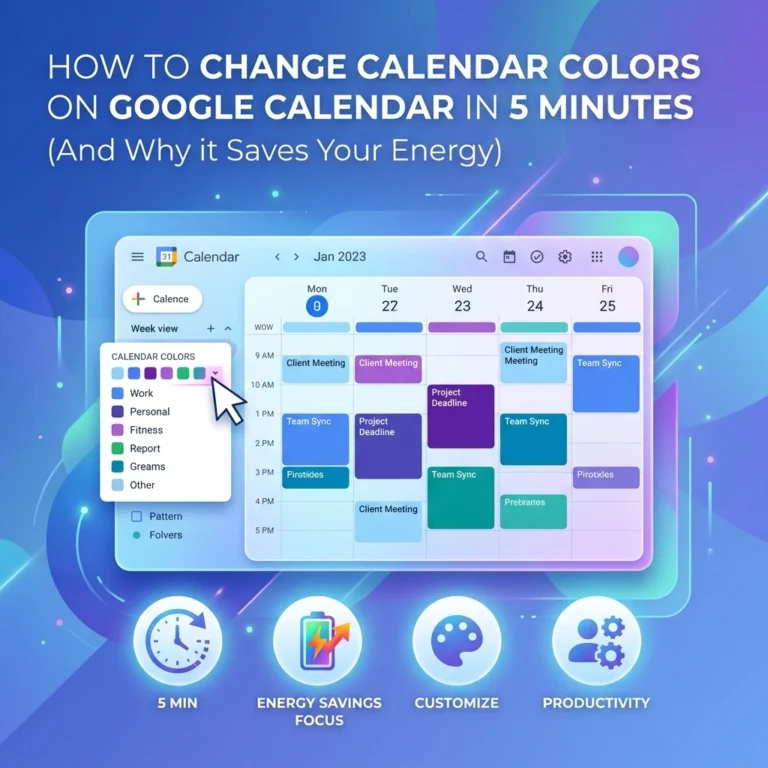
Beyond dark mode, Google Calendar's color-coding system creates powerful workplace accommodations for executive function challenges. Here are proven strategies:
The Energy Management System
- Green: High-energy tasks (complex projects, important meetings)
- Yellow: Medium-energy activities (routine meetings, administrative work)
- Red: Low-energy tasks (email processing, simple data entry)
- Blue: Recovery time (breaks, lunch, transition periods)
The Priority Matrix Method
- Purple: Urgent and important (immediate attention required)
- Orange: Important but not urgent (strategic planning)
- Pink: Urgent but not important (delegate when possible)
- Gray: Neither urgent nor important (eliminate or postpone)
The Spoon Theory Calendar
- Dark red: High spoon activities (1-2 per day maximum)
- Light red: Medium spoon activities (3-4 per day)
- Green: Low spoon activities (unlimited)
- Blue: Spoon restoration time (mandatory rest periods)
Essential Accessibility Features Beyond Dark Mode
Google Calendar includes numerous accessibility features that serve as workplace accommodations for invisible disabilities:
Screen Reader Compatibility
- Full NVDA and JAWS support for visual processing differences
- Voice navigation for individuals with motor control challenges
- Audio feedback for cognitive processing support
Keyboard Navigation Shortcuts
- Complete mouse-free operation capability
- Customizable shortcut combinations
- Quick task switching for attention management
Voice Integration Features
- Google Assistant calendar management
- Voice-to-text event creation
- Hands-free scheduling for mobility limitations
Notification Customization
- Multiple reminder types (email, pop-up, mobile)
- Customizable timing intervals
- Integration with assistive technology
Creating Accommodation-Friendly Event Templates

Streamline your workplace accommodations by creating reusable event templates:
Meeting Preparation Template
- Include 15-minute buffer before important meetings
- Add preparation checklist in description field
- Set multiple reminder alerts
- Color-code based on meeting complexity
Project Management Template
- Break large projects into daily micro-tasks
- Include progress tracking elements
- Add energy level requirements
- Schedule regular progress review sessions
Health Management Template
- Block time for medication schedules
- Include symptom tracking reminders
- Schedule medical appointments with travel buffers
- Plan recovery time after medical procedures
Integration Strategies for Comprehensive Support
Transform your Google Calendar into a complete accommodation system by integrating complementary tools:
Task Management Integration
- Connect with Todoist or Any.do for detailed task breakdown
- Use Trello integration for project visualization
- Link with Notion for comprehensive documentation
Health Monitoring Connections
- Sync with MyFitnessPal for energy level tracking
- Connect mood tracking apps for pattern recognition
- Integrate sleep monitoring for schedule optimization
Communication Tool Coordination
- Link with Slack for team availability updates
- Connect email scheduling tools
- Integrate video conferencing platforms
Workplace Implementation Without Disclosure
Many professionals need workplace accommodations but prefer not to disclose their invisible disabilities. Google Calendar solutions provide discrete support:
Strategic Scheduling Techniques
- Block "focus time" instead of specifying ADHD accommodation needs
- Schedule "wellness breaks" rather than mentioning chronic pain management
- Use "project planning" blocks for executive function support
- Create "deep work" sessions for sensory processing needs
Professional Communication Strategies
- Share calendar availability without explaining reasoning
- Use professional language for accommodation requests
- Frame needs in productivity terms rather than medical terminology
Advanced Customization for Specific Conditions

ADHD-Specific Strategies
- Use bright, contrasting colors for dopamine engagement
- Create 25-minute focus blocks with 5-minute breaks (Pomodoro method)
- Include transition time between different types of activities
- Add "hyperfocus warning" alerts to prevent overcommitment
Chronic Illness Management
- Color-code activities by physical demand levels
- Schedule flexible time blocks for unpredictable symptoms
- Include weather tracking for condition management
- Plan backup activities for high-symptom days
Anxiety and Mental Health Support
- Create "worry time" blocks for structured anxiety management
- Include grounding technique reminders
- Schedule regular check-ins with support systems
- Plan recovery time after stressful events
Troubleshooting Common Implementation Challenges
Overwhelming Visual Information
- Start with just two colors and gradually add more
- Use similar color families to reduce visual chaos
- Implement one feature at a time rather than everything simultaneously
Consistency Struggles
- Set up automatic recurring events for routine activities
- Create simple templates that don't require daily customization
- Use Google Assistant voice commands to reduce setup barriers
Team Coordination Issues
- Share only necessary calendar information with colleagues
- Create separate calendars for personal and professional accommodation needs
- Use privacy settings to control information visibility
Building Long-Term Success Systems
The most effective Google Calendar solutions for workplace accommodations evolve with your changing needs. Review and adjust your system monthly:
- Analyze which color-coding strategies improve productivity
- Identify time blocks that consistently cause stress or overwhelm
- Adjust notification timing based on real-world effectiveness
- Modify templates based on seasonal or health pattern changes
Remember: workplace accommodations for invisible disabilities aren't luxuries: they're necessities that enable professional success. Google Calendar provides an accessible, immediate solution while you work toward broader institutional change.
Your invisible disability doesn't define your professional limitations: it simply requires different tools for success. With these comprehensive Google Calendar solutions, you're not just managing your schedule; you're creating a personalized accommodation system that puts you in control of your professional environment.
The future of workplace accessibility isn't waiting for policy changes or expensive technology upgrades. It's happening right now, one customized calendar at a time. Take control of your professional success( your career depends on it.)